How-to
How to trim a voice recording on Android without losing the original
Cutting a long recording down to the two minutes that matter takes seconds. Whether the full file survives the cut depends on the app — here is how the common ones handle it, and why the original is the part you keep.
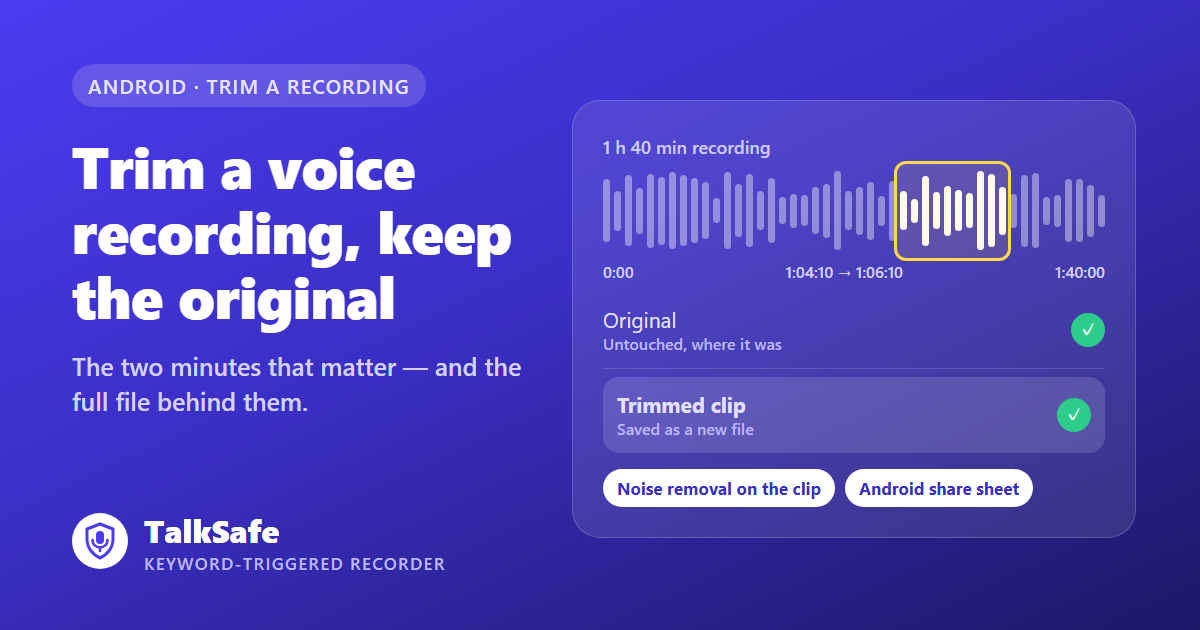
The recording is an hour and forty minutes long. What you need is two minutes somewhere past the one-hour mark.
Nobody is going to listen to the rest. Not a manager, not an investigator, not a judge. If you hand over the whole file, someone has to find the two minutes. If you hand over the two minutes alone, someone will ask what came before them.
Trimming is easy. What matters is whether the full file is still there after you have done it.
How the common apps handle it
| App | Where | How you trim | What happens to the original |
|---|---|---|---|
| Google Recorder | Pixel phones | Menu → Crop & Remove, on the audio or the transcript | The edit ends with Save copy |
| Samsung Voice Recorder | Galaxy phones | Drag the trim handles | You choose: replace the file, or create a new one |
| Audacity | Computer | Select, delete, export | The source file is untouched unless you export over it |
| TalkSafe | Android | Select the section and trim | Always kept; the section is saved as a new file |
The difference that matters is in the last column.
Google Recorder on Pixel
Google’s Recorder app trims through Crop & Remove in the recording’s menu. Crop keeps the part you select; Remove cuts the part you select. You can make the selection on the waveform or on the transcript, which is the fastest way to find a sentence in a long file. Either way, the step ends with Save copy, and you name the new file.
If you have a Pixel, this is a good editor. It is not on other phones.
Samsung Voice Recorder
On Galaxy phones, the built-in Voice Recorder lets you drag trim handles to the length you want and listen to the section before saving. Samsung’s own guide describes the choice you get at the end: replace the file, or create a new audio file.
That prompt is the one place to slow down. Replace overwrites the recording you started with. If there is any chance the recording matters later, choose the new file.
Audacity on a computer
Audacity is free and precise to the millisecond: select the section, delete what you do not need, export. Your source file is not changed unless you export over it under the same name, so export the excerpt under a new name.
The cost is the trip — moving the file off the phone, editing, moving it back if you need it there.
TalkSafe
TalkSafe trims on the phone and never offers to overwrite. The section you select is saved as a new file and the original stays exactly where it was. There is no prompt to get wrong.
Three things follow from that.
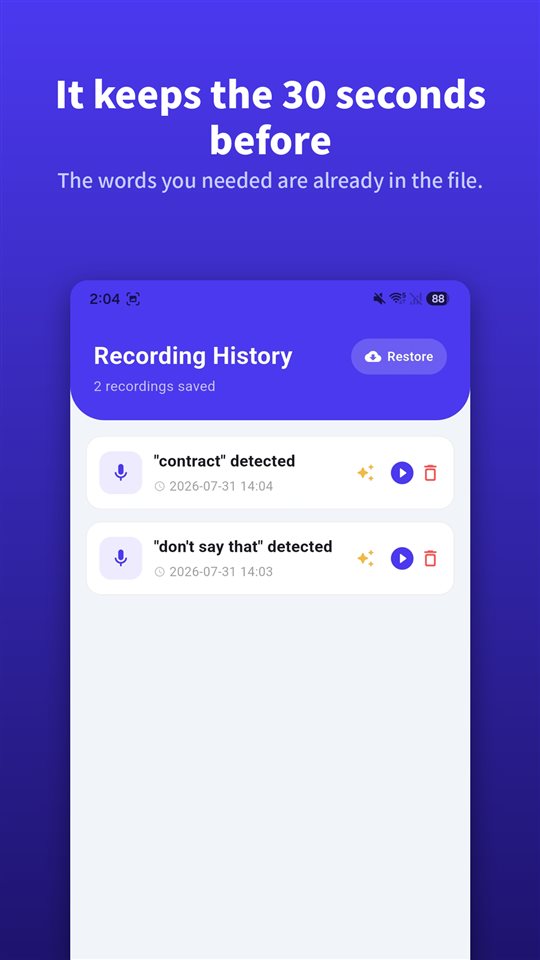
- The beginning is yours to choose. TalkSafe starts on a word you set in advance and saves the 30 seconds before that word was heard, so the file starts a little before the moment. Trimming lets you decide exactly where the excerpt begins, while the full lead-in stays in the original.
- The clip can be cleaned on its own. TalkSafe’s AI noise removal works on a trimmed clip. Cut the two minutes first, then clean only those — processed on the device and saved as yet another new file.
- The clip can go anywhere. Sending uses the Android share sheet, so the excerpt goes to whatever app accepts files: your email, a cloud drive, your computer.
Why the original is the part you keep
An excerpt is a claim: this is what was said, and nothing important around it changes the meaning. The original is how you back that claim up.
The other side can ask for the rest. In US federal courts, Federal Rule of Evidence 106 lets an adverse party require that any other part of a statement be introduced at the same time when fairness requires it. Since the amendment that took effect on 1 December 2023, it covers oral statements as well as written and recorded ones, and the completing part can come in over a hearsay objection. If the rest of the file no longer exists, that is a question you cannot answer.
The court asks whether the file is what you say it is. Rule 1003 treats a duplicate as admissible to the same extent as the original unless a genuine question is raised about authenticity. In India, an electronic record needs a certificate under section 63(4) of the Bharatiya Sakshya Adhiniyam 2023, and the certificate records the file’s hash value. In South Korea, the Supreme Court requires proof that a copy was made without alteration. Every one of these is easiest when the untouched original is sitting on the device that made it.
How courts in fourteen countries treat recordings is in You have the recording. You still may not be able to use it.
A short routine
- Do not touch the original. No renaming, no re-saving, no converting.
- Trim the section that matters, with a little of what comes before and after.
- Clean the clip if you need to. Noise removal on the excerpt, not the original.
- Write a note. Date, place, who was there, and the time in the original where the excerpt starts.
- Back the original up off the phone. Send it to yourself.
Then submit the clip and the note, and keep the original ready.
Sending is not the same as storing
The share button does two different jobs. Sending a file to your own email or drive is storage. Sending it to a colleague, a family group or a forum is distributing it, and in many places that is a separate legal question from whether you were allowed to record. What to do with a recording, and what not to do with it goes through it country by country.
For noisy clips, How to remove background noise from a voice recording on Android compares the tools that can and cannot handle street noise.
If you are new to TalkSafe, how to choose keywords so they are detected reliably is in You say something first.
Other apps' features are described from their official guides at the time of writing and may change. We make a recording app, as noted above. General information, not legal advice.
How do I trim a voice recording on Android?
Most recorder apps have a trim or crop function: you drag handles to select the part you want and save it. On Pixel phones, Google's Recorder app has Crop & Remove, which works on the audio or on the transcript and ends with Save copy. Samsung's Voice Recorder lets you trim and, when saving, choose between replacing the file and creating a new one. TalkSafe saves the trimmed section as a new file and leaves the original untouched.
Does trimming a recording delete the original?
It depends on the app. Google Recorder saves the edit as a copy. Samsung Voice Recorder asks whether to replace the file or create a new audio file, so choosing replace overwrites the original. In TalkSafe the original is always kept and the trimmed section becomes a separate file.
Is there an Android app that trims a recording and keeps the original automatically?
Yes. TalkSafe is an Android voice recorder whose trim function always saves the selected section as a new file, so there is no overwrite option to choose by mistake. The trimmed clip can then be cleaned with TalkSafe's on-device AI noise removal and sent through the Android share sheet.
Can I submit only part of a recording as evidence?
You can submit an excerpt, but keep the full original. In US federal courts, Federal Rule of Evidence 106, amended on 1 December 2023, lets the other party require that any other part of a statement be considered at the same time if fairness requires it, so the rest of the file has to exist. Courts in many countries also ask whether the recording is what you say it is, and the untouched original is what answers that.
Can I remove background noise from just the trimmed part?
Yes. In TalkSafe, trim the section first, then apply AI noise removal to that clip. Both steps save new files, so you end up with the original, the trimmed clip and the cleaned clip side by side.
How do I send a trimmed recording?
TalkSafe uses the Android share sheet, so a trimmed clip can be sent to any app that accepts files — email, a cloud drive, a messaging app or your computer. Sending a file to yourself is storage; sending it to other people is sharing it, which is a separate legal question from recording it.